q220

How to remove or force reinstall the server resource packs

  • Media owner q220
  • Date added
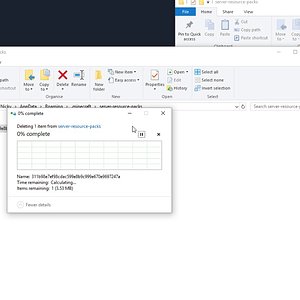
In short, this video will demonstrate how you can force the client to redownload the Minecraft server resource packs. This usually solves the problem when pa...
  1. Make sure you are not connected to any Minecraft server
  2. Go to Options
  3. Click on Open Resource Pack Folder
  4. File explorer will open the Resource Pack Folder
  5. Move one level up in the directory tree and look for server-resource-packs
  6. Open the server-resource-packs folder
  7. Delete all files in this folder
  8. Reconnect to the server
  9. Client will be forced to redownload the resource packs.
 
Last edited:

Media information

Album
How-to Videos
Added by
q220
Date added
View count
37,940
Comment count
1
Rating
0.00 star(s) 0 ratings

Share this media

Back
Top